
一为(onenav)主题导航 – 导航条弹出 最近访问 记录源码添加教程

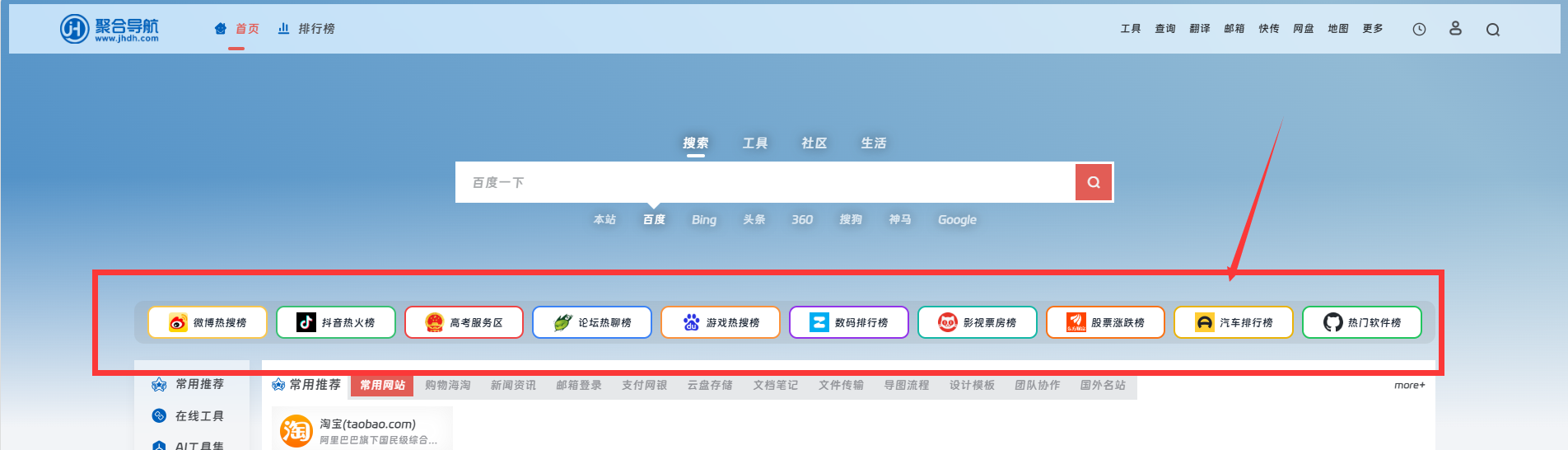
效果演示站:https://www.sbrdh.com/
1.添加代码文件 wp-content/themes/onenav/inc/functions/io-header.php
放在 用户按钮 前面
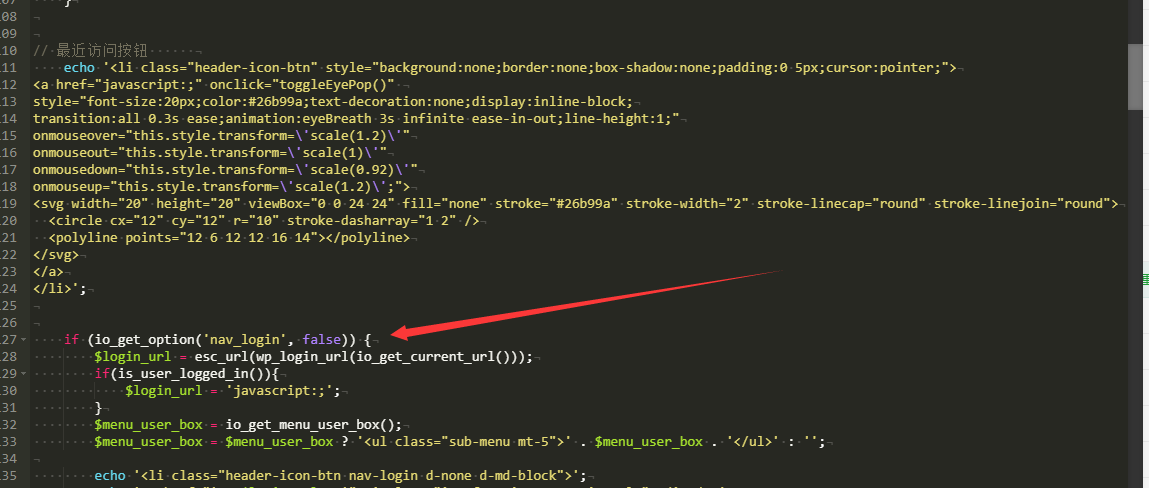
// 最近访问按钮
echo '<li class="header-icon-btn" style="background:none;border:none;box-shadow:none;cursor:pointer;">
<a href="javascript:;" onclick="toggleEyePop()"
style="font-size:20px;color:#26b99a;text-decoration:none;display:inline-block;
transition:all 0.3s ease;animation:eyeBreath 3s infinite ease-in-out;line-height:1;"
onmouseover="this.style.transform=\'scale(1.2)\'"
onmouseout="this.style.transform=\'scale(1)\'"
onmousedown="this.style.transform=\'scale(0.92)\'"
onmouseup="this.style.transform=\'scale(1.2)\';">
<svg width="20" height="20" viewBox="0 0 24 24" fill="none" stroke="#26b99a" stroke-width="2" stroke-linecap="round" stroke-linejoin="round">
<circle cx="12" cy="12" r="10" stroke-dasharray="1 2" />
<polyline points="12 6 12 12 16 14"></polyline>
</svg>
</a>
</li>';
2.放在io-header.php 文件最后面 另外记的把里面的域名 www.sbrdh.com 搜索换成你自己的
© 版权声明
文章版权归作者所有,未经允许请勿转载。
相关文章



暂无评论...